Live translated subtitles for raw anime and K-drama
Updated 2026-10-24
Press Start, play it, and the subtitles appear as it is spoken — original, translated or both. To watch a show that has no subtitles yet — a raw anime episode, a K-drama the night it airs, a Japanese variety show nobody subs — play it on your Mac and let Tingdong subtitle it live: it listens to the audio and floats translated subtitles over any player or site, at simultaneous-interpretation pacing.
How to set it up
- 1Open Tingdong and pick “Live Subtitles”
Choose “Screen sound” so it hears exactly what the episode plays.
- 2Press Start and hit play
Floating subtitles appear over the video: original line on top, your language below. Works with any player — browser, VLC, IINA, local files.
- 3Optional: Read aloud
For variety shows and long streams, the translation can be read aloud so you can look away.
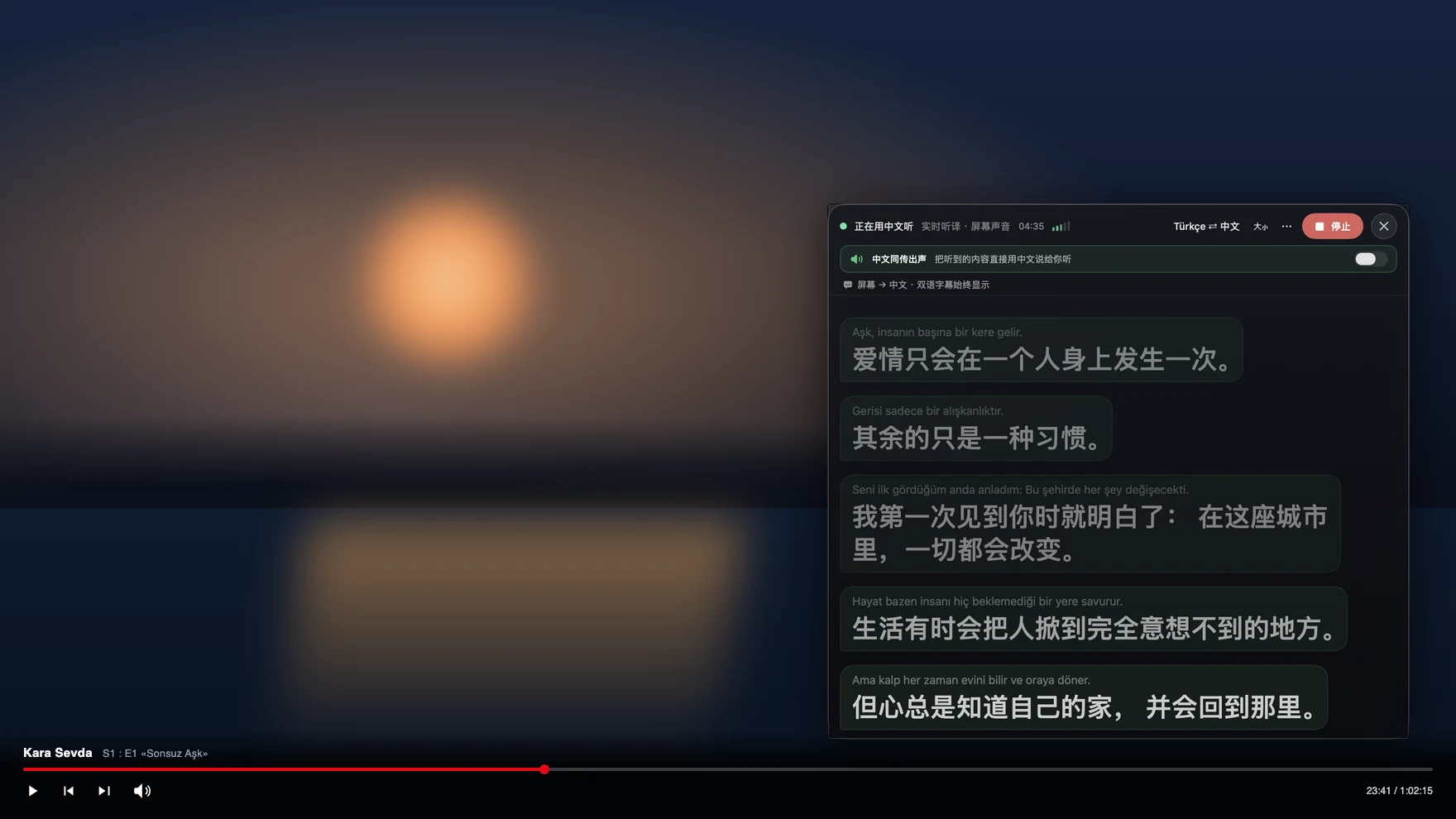
No more waiting for fansubs
The usual options for raw shows are waiting days for subs or wiring up per-line subtitle hacks that lose context between lines and only run on Windows players. Tingdong translates a running stream of speech, not one subtitle line at a time, so context carries across sentences — and it doesn’t care where the video plays: streaming sites, local files, live broadcasts, VTuber streams. Japanese, Korean and Chinese are auto-detected like the rest of the 60+ languages, including mid-episode switches.
Raw anime and K-drama on a Windows PC
On a Windows PC, choose “Computer audio” in Tingdong for Windows, press “Start Listening” and play the episode in your video player or browser: the subtitles appear in your language in the main window or in a small window you can place over the video. There is no browser extension and no virtual audio cable to install. More in translating the audio playing on your PC.
Frequently asked questions
Does it work with local video files and players like VLC or IINA?
Yes. It captures the sound your Mac plays, so any player works: VLC, IINA, QuickTime, a browser tab, or files straight off your disk. No plugin per player.
How accurate is it on anime and dramas?
Dialogue-driven scenes translate well — the engine keeps context across sentences instead of translating line by line. Fast comedy banter, songs and heavy slang are genuinely hard for any machine translation; the original line always stays on screen above the translation so you’re never guessing blind.
Can it handle live broadcasts and VTuber streams?
Yes — live is where it shines, because no sub track ever exists for a live stream. Subtitles run at simultaneous-interpretation pacing, starting while the sentence is still being spoken.
Does it need the show to be in Japanese?
No. 60+ input languages are auto-detected — anime in Japanese, K-drama in Korean, C-drama in Chinese, a Spanish thriller: it just follows, translating into your language.
Try it on your next video, meeting or callTry it at your next meeting or lecture
Download free for macOS Get it for Windows

Free trial: about 100 minutes of subtitles · No signup or card
Free trial · No account or card
Windows 11 (subtitles and Read aloud only, nothing sent into calls)