Real-time translation for YouTube videos and live streams
Updated 2026-10-15
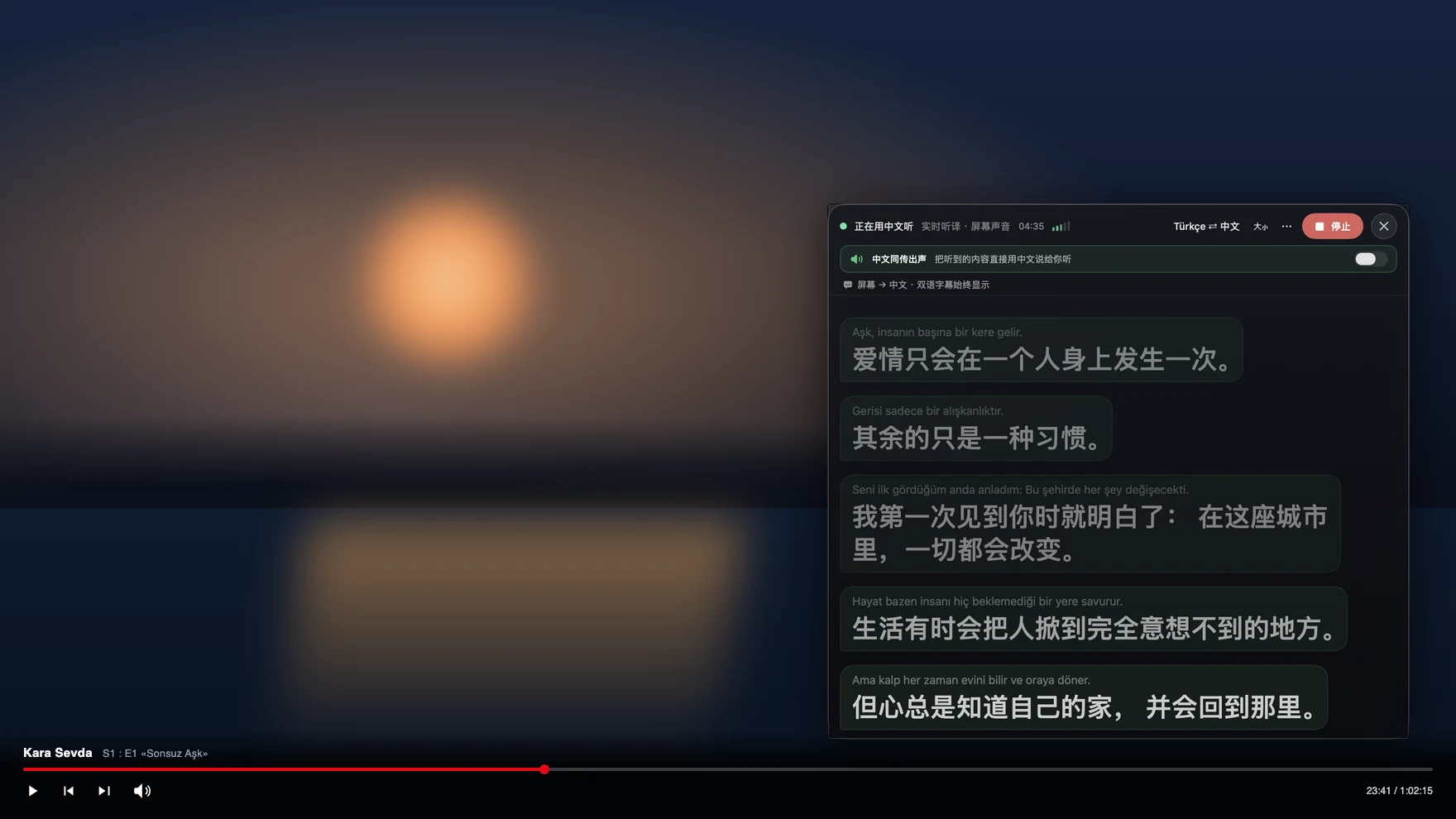
Press Start, play it, and the subtitles appear as it is spoken — original, translated or both. To watch a YouTube video or live stream in a language you don’t speak, run Tingdong on your Mac: it listens to the audio and floats live translated subtitles over the video. It doesn’t need the video to have a caption track, it works on live streams where auto-captions are missing, and the same subtitles follow you to Twitch, embedded players and local files.
How to set it up
- 1Open Tingdong and pick “Live Subtitles”
Choose “Screen sound” as the source so it hears exactly what the video plays — no room noise.
- 2Press Start and play the video
A floating subtitle window appears over YouTube (or any app): original line on top, your language below.
- 3Optional: turn on Read aloud
Prefer to listen instead of read? The translation can be read aloud in your language while the video plays.
Why not just use YouTube’s auto-translate?
YouTube’s auto-translated captions stack two error layers: speech recognition built for general English first mishears the line, then a subtitle translator garbles it further — which is why they collapse on accents, names, music and fast speech, and why many live streams offer no captions at all. Tingdong listens to the audio directly with a dedicated speech-translation engine, so there is no caption track in the middle. It also isn’t a browser extension: the same floating subtitles work on Twitch, Vimeo, embedded course players, VLC and files on your disk.
YouTube on a Windows PC
On a Windows PC, choose “Computer audio” in Tingdong for Windows, press “Start Listening” and play the video or the live stream: the subtitles appear in your language in the main window or in a small window you can place over the video. There is no browser extension and no virtual audio cable to install. More in translating the audio playing on your PC.
Frequently asked questions
Does it work on live streams?
Yes — live streams are the main reason people switch. Auto-captions are often unavailable or delayed on streams; Tingdong translates the live audio as it plays, at simultaneous-interpretation pacing, whether it’s a YouTube premiere, a Twitch stream or a VTuber broadcast.
The video has no captions at all. Does that matter?
No. Tingdong never reads the caption track — it listens to the audio itself. Videos with zero subtitles, auto-captions disabled, or hardcoded foreign subs all work the same way.
Does it only work on YouTube?
It works on anything your Mac plays: YouTube, Twitch, Vimeo, Bilibili, embedded players in online courses, VLC and local video files. One app, the same floating subtitles everywhere — no per-site extension.
What does an hour of video cost?
Live subtitles cost 1 credit per minute — an hour is 60 credits. Every new Mac gets a free trial of about 100 minutes of subtitles, no signup; after that the monthly membership covers about 16 hours of watching.
Try it on your next video, meeting or callTry it at your next meeting or lecture
Download free for macOS Get it for Windows

Free trial: about 100 minutes of subtitles · No signup or card
Free trial · No account or card
Windows 11 (subtitles and Read aloud only, nothing sent into calls)