Real-time translation for Amazon Prime Video
Updated 2026-09-23
Press Start, play it, and the subtitles appear as it is spoken — original, translated or both. Prime Video’s catalogue and its subtitle languages differ per marketplace, so an international original, a licensed older film or a live sporting event often arrives with subtitles you cannot read — or none at all. Tingdong runs on your Mac, listens to whatever the player is playing and floats live captions in your language over it, at the pace of speech, without any browser extension and without touching the protected picture.
How to set it up
- 1Open Tingdong and pick “Live Listen”
Select “Screen sound” so it hears exactly what Prime Video plays and nothing from the room.
- 2Start the title or the live event
Captions float over the player: the original line on top, your language below, updating while the sentence is still being spoken.
- 3Optional: switch on spoken interpretation
The translation can be read aloud in your language instead, useful for a match or a documentary you are half-watching.
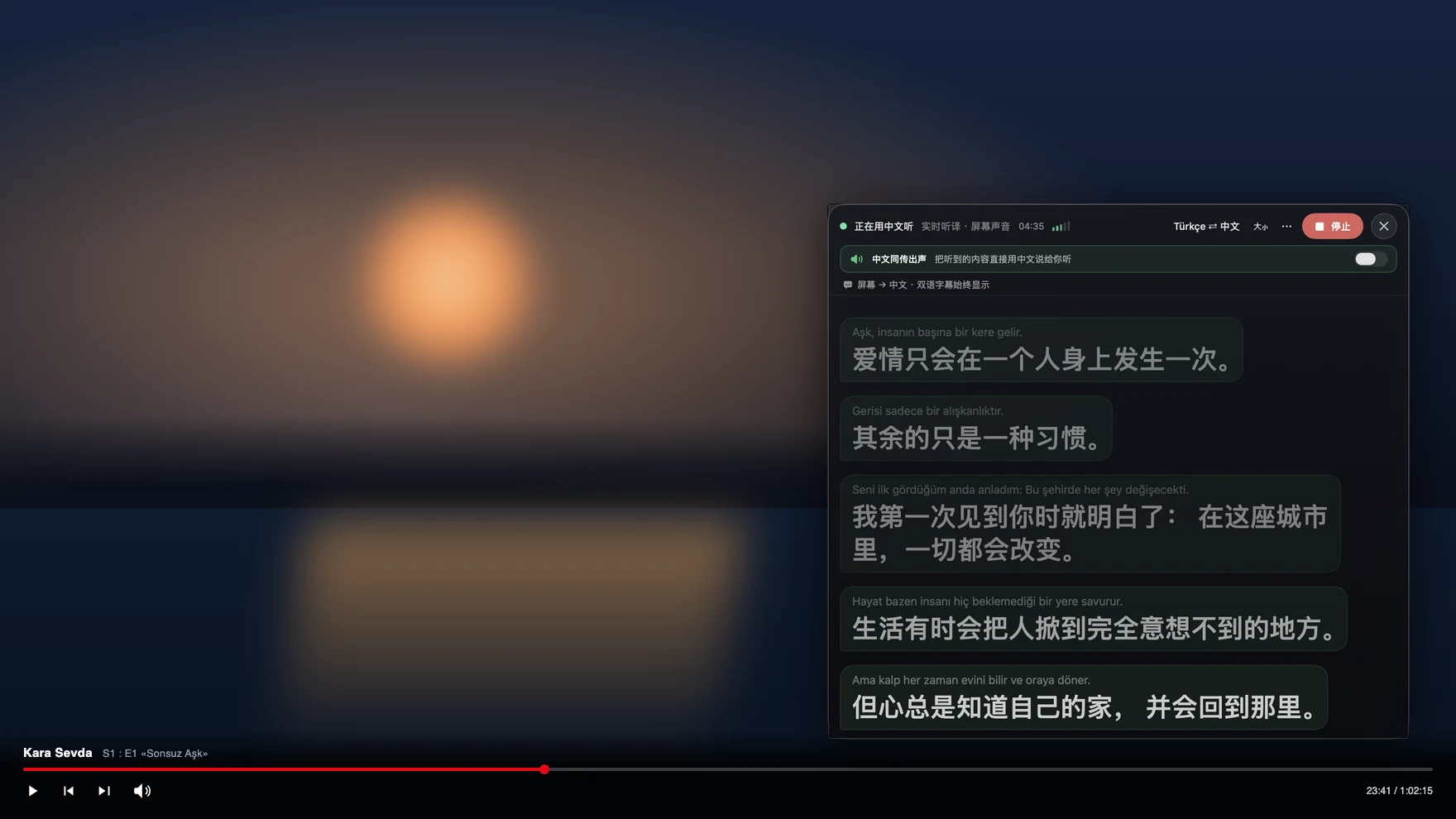
Live sport and international originals are where subtitles run out
Scripted titles usually ship a subtitle file eventually; live events do not, because commentary is spoken as it happens and nobody writes it down for your marketplace. The same gap appears on international originals and older licensed films, where a region may carry the video with only one or two subtitle languages. Because Tingdong works from the audio rather than from a subtitle track, none of that is a factor: live commentary, an interview after the match, a Korean or Spanish original, a documentary with a narrator and on-screen guests in another language all caption the same way. Language is detected per phrase among 60+ inputs, so a broadcast that switches between two languages keeps working without you changing a setting.
Frequently asked questions
Does it work on live sport on Prime Video?
Yes. Live commentary has no subtitle file to translate, so Tingdong’s approach — captioning the audio as it plays — is the only route that applies. Pre-match studio talk and post-match interviews are captioned the same way.
Does DRM block it?
No. Tingdong reads the audio your Mac is playing, not the picture, so the protection that makes screen recorders show a black frame is never triggered.
What if the title has subtitles in the wrong language only?
That makes no difference. The subtitle track is never used; Tingdong listens to the spoken audio and translates that into your language, whatever the player offers.
Can I keep the original line visible?
Yes. Original on top, translation below, so names, places and terms can always be checked against what was actually said.
Try it on your next video, meeting or callTry it at your next meeting or lecture

Free trial: about 100 minutes of subtitles · No signup or card
Free trial · No account or card
This page is about the Mac. Windows PC? Tingdong for Windows