Real-time Hindi translation on your Mac
Updated 2026-10-14
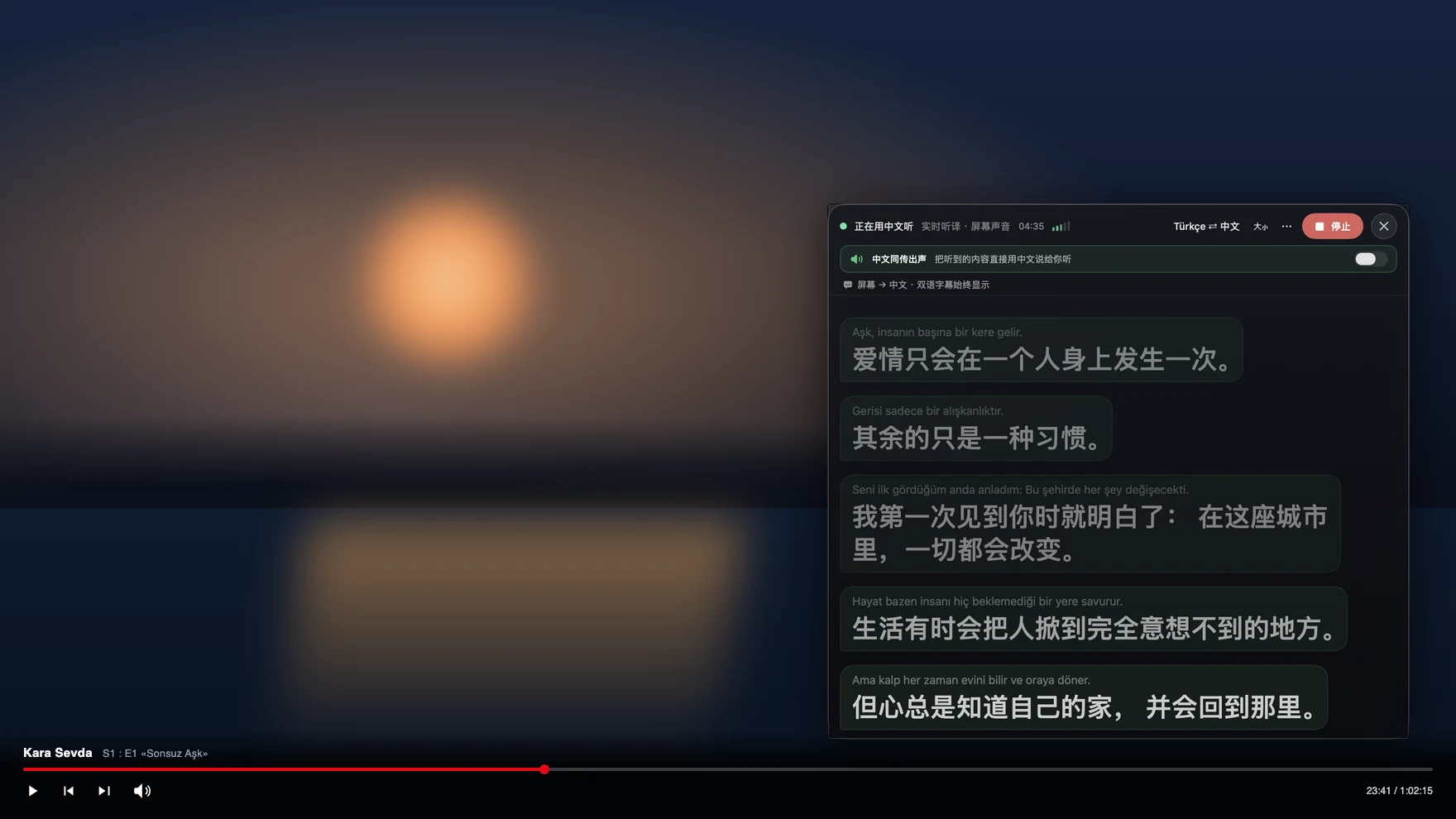
Press Start, play it, and the subtitles appear as it is spoken — original, translated or both. To follow Hindi as it is spoken — a Bollywood film without subtitles, a Mumbai vendor on Zoom, a family call to Delhi, a cricket commentary stream — run Tingdong on your Mac. It listens to whatever is playing, detects Hindi automatically, and floats English subtitles over it while the sentence is still being spoken. Call Translation adds the other direction: you speak English, they hear Hindi (Website version).
How to set it up
- 1Open Tingdong and choose “Live Subtitles”
Pick “Screen sound” so it hears exactly what the film or meeting plays. Hindi is detected, not selected.
- 2Press Start
Subtitles float over the player or the meeting window: Hindi on top, English below.
- 3For a call, switch to “Call Translation”
Choose Tingdong Microphone (Website version) in WhatsApp’s or Zoom’s mic menu, or hand an iPhone call to the Mac over Bluetooth. Your English reaches them as a Hindi voice; their Hindi comes back as English subtitles.
Hinglish is the normal case, not an edge case
Real Hindi conversation switches to English mid-sentence — a number, a job title, a whole clause — and caption tools that lock one language per session garble every switch. Tingdong detects the language per phrase, so Hinglish is simply followed. It works on the channels Indian families and teams actually use: WhatsApp calls on the Mac (choose Tingdong Microphone (Website version) in its mic menu), Zoom and Teams standups across time zones, and an iPhone call handed to the Mac over Bluetooth. The other side hears your words in Hindi alongside your own voice and installs nothing.
Frequently asked questions
Does it work on WhatsApp calls?
Yes. WhatsApp on Mac lets you pick a microphone; choose Tingdong Microphone (Website version) and the call is interpreted both ways. The person you call hears a Hindi voice alongside yours and installs nothing.
Does it handle Hinglish?
Yes. Language is detected per phrase among 60+ inputs, so switching between Hindi and English mid-sentence is followed rather than garbled.
Can it subtitle a Bollywood film or a Hindi YouTube stream?
Yes. It captures the audio your Mac plays, so any player or site works — Netflix, Hotstar, YouTube, local files — including live streams with no subtitle track.
How much does it cost in India?
The same as everywhere: $5.99 a month or $59.99 a year, billed in USD (the checkout page shows the exact amount before you pay), after a free trial of about 100 minutes of subtitles. Subtitles are 1 credit per minute.
Try it on your next video, meeting or call
Download free for macOS Get it for Windows
Free trial: about 100 minutes of subtitles · No signup or card
Windows 11 (subtitles and Read aloud only, nothing sent into calls)