Real-time Italian translation on your Mac
Updated 2026-09-24
Press Start, play it, and the subtitles appear as it is spoken — original, translated or both. Italian arrives faster than the classroom version: a RAI talk show where four people speak over each other, a football broadcast, a cooking channel with no English subtitles, the relatives in Puglia on a video call, and the phone call to a comune or a landlord that you keep postponing. Tingdong listens to whatever your Mac plays, detects Italian automatically, and floats English captions over it while the sentence is still being spoken.
How to set it up
- 1Open Tingdong and choose “Live Listen”
Set the source to “Screen sound” so it captions the broadcast or the meeting rather than the room. Italian is detected, not selected.
- 2Press Start
Captions float over the player or the call window: Italian on top, English below, updating before the sentence finishes. You can have the English read aloud instead.
- 3For a call, switch to “Call Translation”
Choose Tingdong Microphone (Website version) in the mic menu of FaceTime, Zoom or WhatsApp for Mac, or hand an iPhone call to the Mac over Bluetooth. You speak English, they hear Italian.
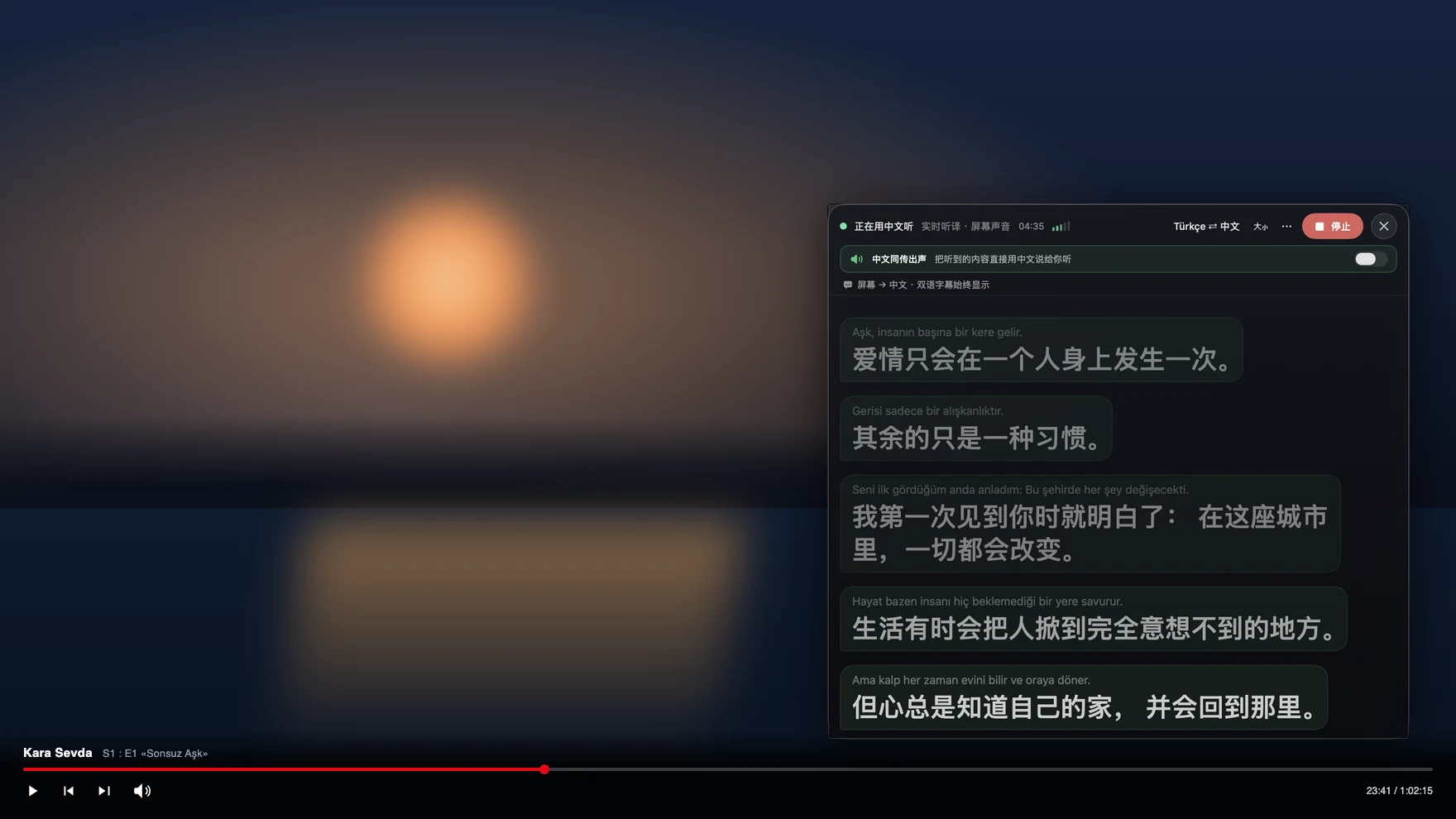
Overlapping speech is the Italian problem, not vocabulary
Most learners can read an Italian article and still lose a talk show, because the difficulty is delivery rather than words: speakers overlap, finish each other’s sentences, drop pronouns that the verb ending already carries, and shift register between a formal address and a regional turn of phrase within one breath. A subtitle translator handed one finished line at a time has no way to recover a thread that was never a clean line. Tingdong translates a continuous stream of speech and keeps context across sentences, so a debate reads as a conversation. It also does not care where the sound comes from: RAI Play, Netflix, YouTube, a football stream or a local file in VLC all produce the same floating captions, and a live broadcast without any subtitle track works exactly like a subtitled one.
Frequently asked questions
Does it work on RAI, Netflix and Italian YouTube?
Yes. It captions the audio your Mac plays, so any player or site works and no browser extension is involved. Streams that are protected against screen capture are fine, because the picture is never touched.
Can it keep up with a talk show where everyone talks at once?
It captions continuously rather than waiting for a line to end, so it follows overlapping speech better than turn-based tools. Crosstalk remains hard for any system, and the Italian line stays on screen so you can re-read what was caught.
Can I call an Italian office or a relative?
Yes. Hand the iPhone call to your Mac over Bluetooth, or choose Tingdong Microphone (Website version) in a desktop calling app. They hear your voice plus an Italian translated voice, you read English captions of their replies, and they install nothing.
I am learning Italian — does it show the original?
Yes, captions are bilingual: the spoken Italian on top, your English below. You can read the Italian and drop to the translation only when you lose the sentence, which is not what a dubbed audio track lets you do.
Do I have to tell it the language is Italian?
No. Italian is auto-detected among 60+ input languages, per phrase, so a meeting that keeps switching between Italian and English is captioned without a setting.
Try it on your next video, meeting or callTry it at your next meeting or lecture
Download free for macOS Get it for Windows

Free trial: about 100 minutes of subtitles · No signup or card
Free trial · No account or card
Windows 11 (subtitles and Read aloud only, nothing sent into calls)