Real-time French translation on your Mac
Updated 2026-09-24
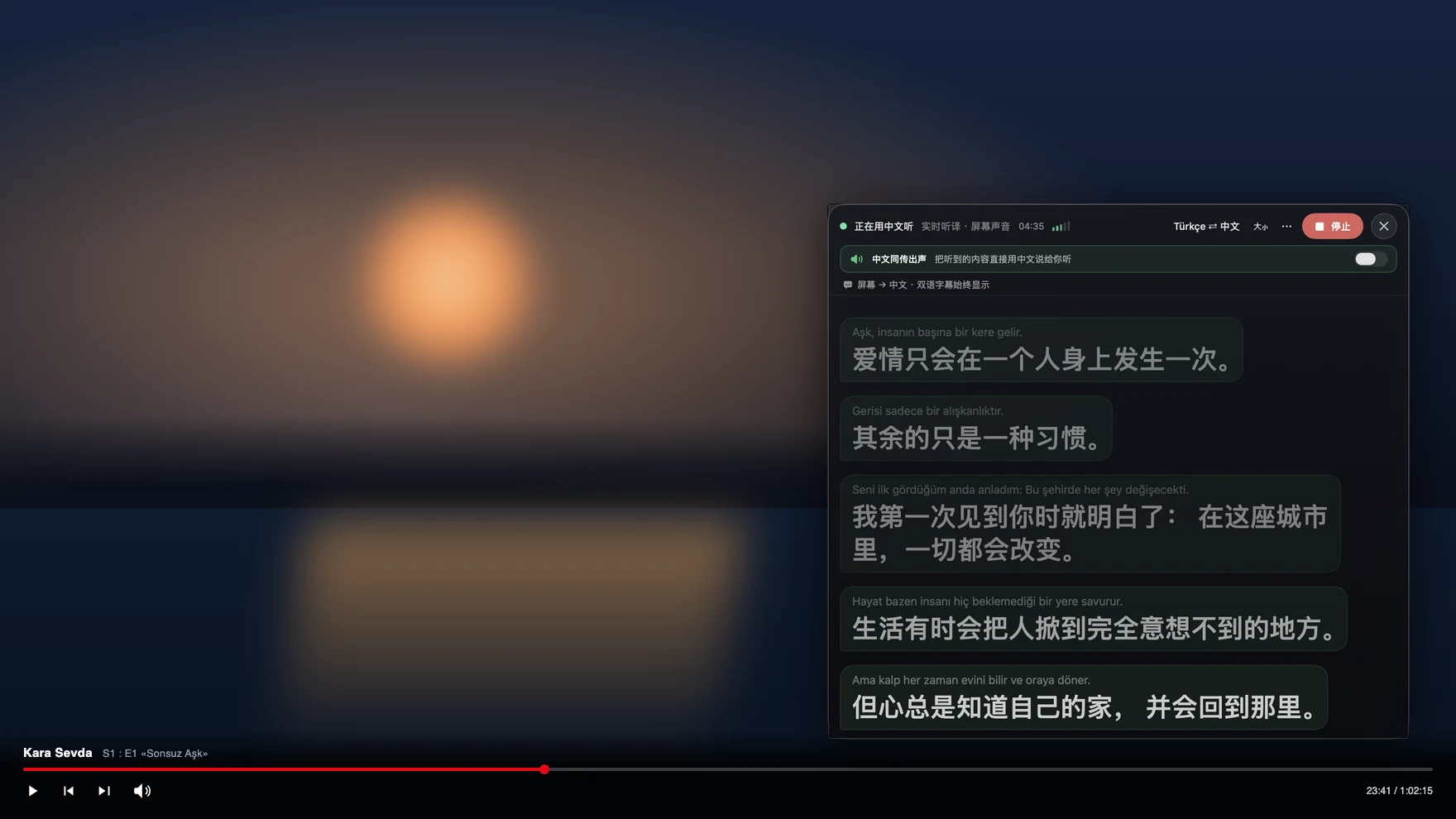
Press Start, play it, and the subtitles appear as it is spoken — original, translated or both. Classroom French and spoken French are two different problems. The film on France TV, the podcast your teacher recommended, the Paris colleague who speeds up on a call, the in-laws in Lyon or Montreal — all of them run words together in a way no textbook prepares you for. Tingdong listens to whatever your Mac is playing, detects French automatically, and floats English captions over it at simultaneous-interpretation pace, with the French line kept above the translation so you can learn from both.
How to set it up
- 1Open Tingdong and choose “Live Listen”
Set the source to “Screen sound” so it captions the film or the call audio rather than the room. French is detected, not selected.
- 2Press Start
Captions float over the player or the meeting window: French on top, English below, appearing before the sentence has finished. The translation can be read aloud instead if you prefer to listen.
- 3For a call, switch to “Call Translation”
Choose Tingdong Microphone (Website version) in the mic menu of FaceTime, Zoom or another desktop calling app, or hand an iPhone call to the Mac over Bluetooth. You speak English, they hear French.
Why spoken French defeats word-by-word tools
French erases its own word boundaries: liaison glues the end of one word to the start of the next, unstressed vowels drop out entirely in casual speech, and most inflectional endings are silent, so the difference between one speaker and several often lives in a single unstressed syllable. Tools that transcribe and translate one short line at a time have nothing to disambiguate with. Tingdong works on a continuous stream and keeps context across sentences, which is what makes a fast talk show or an argumentative meeting readable instead of merely transcribed. Québécois, Belgian and West African French are all just French to the detector, and a colleague dropping an English term mid-sentence does not break anything, because the language is detected per phrase rather than fixed for the session.
Frequently asked questions
Does it caption French films and series with no English subtitles?
Yes. It listens to the audio your Mac plays, so France TV, Canal+, Netflix, YouTube and a local file in VLC or IINA all behave the same — including live broadcasts that have no subtitle track to translate in the first place.
Can I use it in a work meeting that is held in French?
Yes. Start Live Listen with “Screen sound” before the Zoom or Teams call and read bilingual captions while it runs. No bot joins the meeting, the other participants do nothing, and your microphone stays free for you to talk.
Can it translate a phone call to France?
Yes. Hand the iPhone call to your Mac over Bluetooth and both directions are interpreted (Website version): they hear your voice plus a French translated voice, you read their replies as English captions, and nothing is installed on their side.
Is it useful for learning, or does it just do the work for me?
Both lines are on screen — the French as spoken, your English underneath — so you can read along with the original and only glance down when you lose the thread. That is the difference from a dubbed track, which replaces the French entirely.
Does it handle Québec French?
Yes, it is detected as French like any other variety; strong regional speech is harder for any machine translation, and the original line stays visible so you can check a phrase yourself when the translation looks thin.
Try it on your next video, meeting or callTry it at your next meeting or lecture
Download free for macOS Get it for Windows

Free trial: about 100 minutes of subtitles · No signup or card
Free trial · No account or card
Windows 11 (subtitles and Read aloud only, nothing sent into calls)