Real-time Indonesian translation on your Mac
Updated 2026-09-24
Press Start, play it, and the subtitles appear as it is spoken — original, translated or both. Indonesian shows up for English speakers as work and as everyday life at once: a supplier call to Jakarta or Surabaya, a live selling stream on the platform where your product is sold, a WhatsApp voice note from a contractor, a staff meeting that starts formally and slides into slang. Tingdong runs on your Mac, listens to whatever is playing, detects Indonesian by itself, and floats English captions over it while the sentence is still being spoken.
How to set it up
- 1Open Tingdong and choose “Live Listen”
Set the source to “Screen sound” so it captions the stream or the meeting rather than the room. Indonesian is detected, not selected.
- 2Press Start
Captions float over the player or the call window: the Indonesian line on top, English below, updating before the sentence ends. The English can be read aloud instead.
- 3For a call, switch to “Call Translation”
Choose Tingdong Microphone (Website version) in the mic menu of Zoom, FaceTime, WhatsApp for Mac or Telegram, or hand an iPhone call to the Mac over Bluetooth. You speak English, they hear Indonesian.
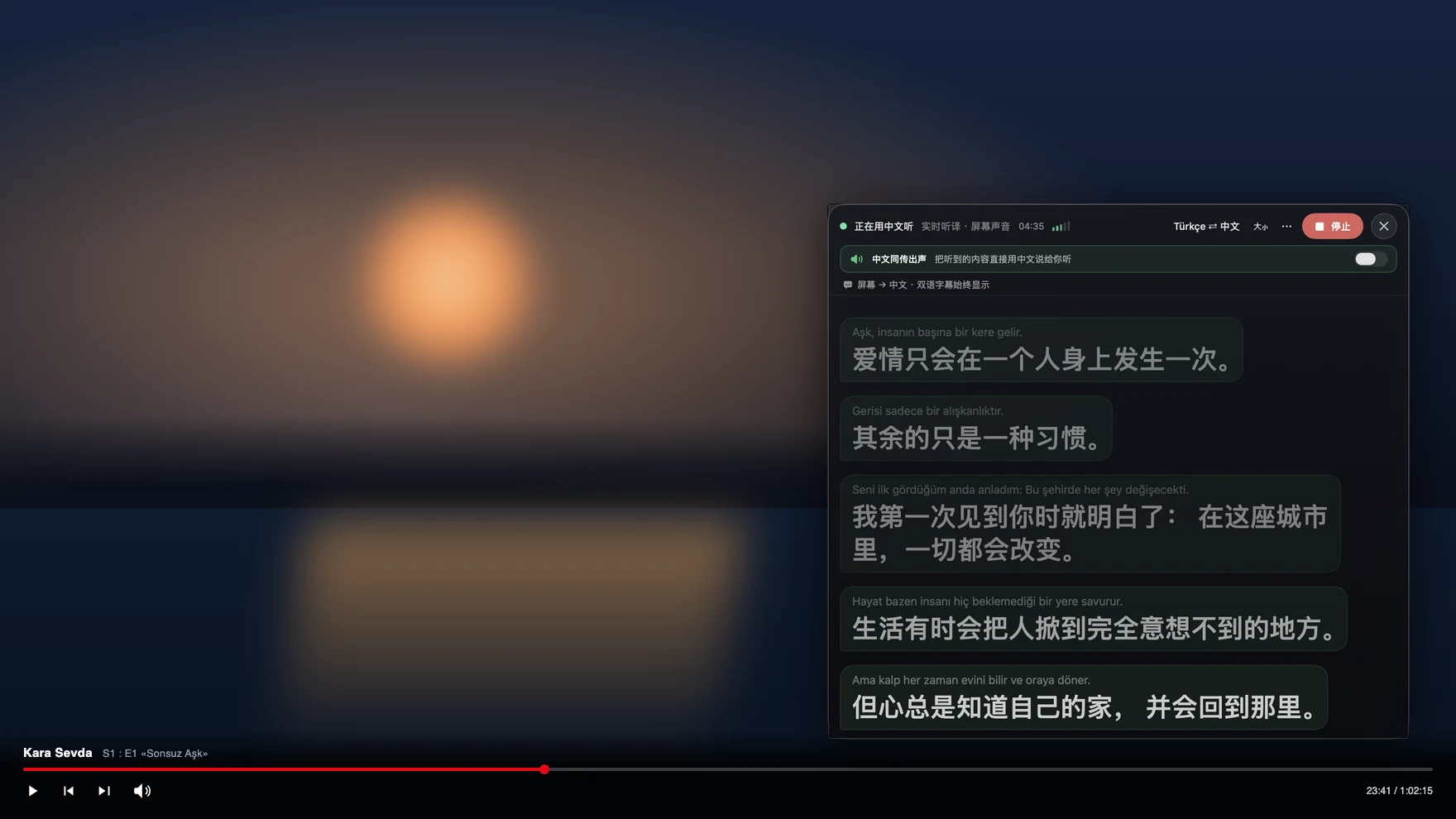
Formal Indonesian and the Indonesian people actually speak
The Indonesian in textbooks is the language of announcements and contracts; the Indonesian in a meeting is faster, drops affixes, borrows from Javanese and from English, and switches register the moment the formal part of the agenda ends. Regional languages appear inside the same conversation, and a great deal of business happens in voice notes and live streams that have no text version at all for a browser extension or a subtitle tool to work from. Tingdong captions the audio itself, keeps context across sentences, and detects the language per phrase among 60+ inputs, so a call that moves between Indonesian and English does not need a setting change. Both lines are shown, so a price, a quantity or a name can be checked against what was actually said before you act on it.
Frequently asked questions
Can it caption WhatsApp voice notes from a supplier?
Yes. Play the note in WhatsApp on the Mac with Live Listen running and captions appear as it plays. Voice notes have no transcript of their own, which is why they are usually the first thing people point it at.
Does it work on live selling streams and YouTube?
Yes. It listens to the audio your Mac plays, so any site or player works, including live streams that carry no subtitle track at all. No browser extension is installed and the picture is never touched.
Can I run a supplier call in both directions?
Yes. In Zoom, WhatsApp for Mac or another desktop calling app, choose Tingdong Microphone (Website version) as your microphone: they hear your voice plus an Indonesian translated voice, you read English captions of their replies, and nothing is installed on their side.
Does it cope with Indonesian mixed with English or Javanese?
Language is detected per phrase rather than set once, so code-switching within a meeting keeps working. Strong regional speech is harder for any machine translation, and the original line stays on screen for checking.
Can I caption a meeting without anyone knowing?
Live Listen reads the sound your Mac plays, so no bot joins the participant list and your microphone is not used. It is your own reading aid; announcing it is a courtesy call you make, not a technical requirement.
Try it on your next video, meeting or callTry it at your next meeting or lecture
Download free for macOS Get it for Windows

Free trial: about 100 minutes of subtitles · No signup or card
Free trial · No account or card
Windows 11 (subtitles and Read aloud only, nothing sent into calls)